
At Tesla Repair Dubai, we know that staying connected is essential for Tesla owners. Tesla’s eSIM technology is great, but some drivers in Dubai prefer the flexibility of a regular SIM card. If you’re thinking about making the switch, our LOKI scanner can help. It’s a handy tool that makes replacing the eSIM with a SIM card easy and effective. In this blog, we’ll explain how this process works and why it might be a good option for your Tesla.
What is Tesla’s eSIM?
An eSIM, or embedded SIM, is a small chip that’s built directly into Tesla cars. Unlike a regular SIM card, which you can insert and remove, an eSIM is permanently embedded in the car’s hardware. This technology allows Tesla to stay connected to mobile networks without the need for a physical SIM card slot.
How Does It Work in Tesla Cars?
- Seamless Connectivity:
- The eSIM is pre-programmed to connect with specific mobile carriers, ensuring your Tesla has a stable internet connection at all times.
- Key Functions:
- This connection is vital for features like GPS navigation, Autopilot, software updates, and remote access through the Tesla app.
- No Physical Slot Needed:
- Since the eSIM is embedded, there’s no need for a physical SIM card slot, making the design more streamlined.
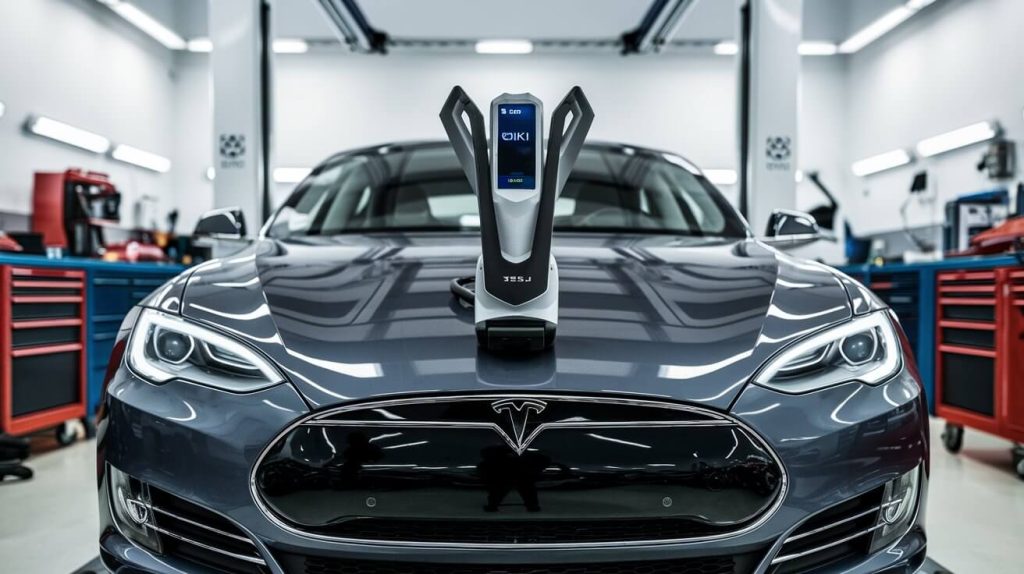
Why Consider Replacing eSIM with a SIM Card?
Some Tesla owners prefer more control over their vehicle’s connectivity. Here’s why you might consider replacing the eSIM with a SIM card:
- Better Network Flexibility:
- Using a traditional SIM card allows you to select the mobile network provider that best suits your needs. If the current network isn’t delivering optimal coverage, switching to a SIM card gives you the freedom to choose a better option.
- Easier Carrier Switching:
- With a SIM card, you can easily switch between different mobile carriers whenever necessary. This is especially useful if you’re traveling or want to take advantage of better deals from other providers.
- Improved Local Compatibility:
- In Dubai, some networks may perform better with a physical SIM card compared to the eSIM. This switch can help ensure that your Tesla remains connected with fewer disruptions.
- Personal Control:
- Many Tesla owners appreciate the control that comes with using a SIM card, allowing for easier management of their car’s connectivity settings.
At Tesla Repair Dubai, we can help you make this switch smoothly and efficiently, ensuring that your Tesla stays connected in the way that best suits your needs.
What is the LOKI Scanner?
The LOKI scanner is a special tool that connects directly to your Tesla’s computer. It gives us detailed information about how your car is running and any issues it might have. This allows us to understand what’s going on inside your Tesla and make the right fixes.
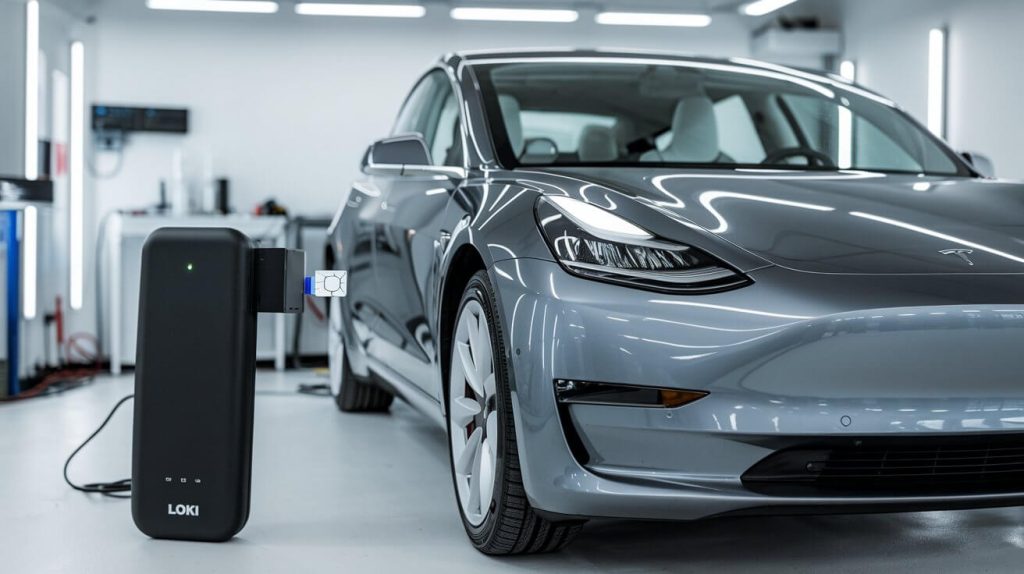
How the LOKI Scanner Helps:
- Detailed Checks:
The LOKI scanner shows us a complete picture of your Tesla’s performance. It helps us find and fix problems that might not be obvious right away, keeping your car in great shape.
- eSIM to SIM Card Replacement:
If you want to switch from an eSIM to a SIM card, the LOKI scanner is essential. It guides us through the process, making sure the switch is smooth and that your Tesla stays connected without any issues.
- Software Updates:
The LOKI scanner also allows us to update your Tesla’s software, ensuring that everything is working as it should. This includes setting up the new SIM card correctly.
- Safe and Reliable:
The LOKI scanner ensures that any changes we make to your Tesla, like switching the eSIM or running diagnostics, are done safely and securely. Your Tesla’s safety and performance are our top priorities.

Why We Use the LOKI Scanner at Tesla Repair Dubai
The LOKI scanner is a crucial tool for our work at Tesla Repair Dubai. It allows us to offer specialized services tailored to the needs of Tesla owners in Dubai. Whether you need to replace your eSIM with a SIM card or just want a thorough check-up, the LOKI scanner helps us do the job right, ensuring your Tesla stays in top condition.
Replacing eSIM with a SIM Card Using LOKI Scanner
At Tesla Repair Dubai, we ensure that your Tesla is equipped with the best technology for optimal performance. If you’re considering replacing the eSIM in your Tesla with a traditional SIM card, here’s a detailed guide using the LOKI scanner.
Step 1: Prepare Your Tesla
- Safety Check:
- Park your Tesla in a secure location, ensuring the car is completely turned off to prevent any electrical issues during the process.
- Ready Your Tools:
- Make sure the LOKI scanner and your new SIM card are within reach. Being prepared with all the necessary tools will make the process smoother.
Step 2: Connect the LOKI Scanner
- Locate the Diagnostic Port:
- The diagnostic port is typically found beneath the driver’s dashboard. Plug the LOKI scanner into this port.
- Wait for Connection:
- Allow the scanner a moment to establish a connection with your Tesla’s systems.
- Confirm Connectivity:
- Check the scanner’s display to ensure it’s properly communicating with the vehicle’s onboard computer.
Step 3: Access the eSIM Settings
- Navigate the Scanner Interface:
- Use the LOKI scanner to access the settings menu. Look for the section dedicated to eSIM and network configurations.
- Review Current Settings:
- Take a moment to review the existing eSIM setup. Understanding the current configuration will help you make informed adjustments.
Step 4: Remove the eSIM Configuration
- Initiate the Removal Process:
- Start the process of removing the eSIM settings through the LOKI scanner. Follow the on-screen prompts carefully.
- Complete the Deletion:
- Confirm the deletion of the eSIM configuration. This step ensures that your Tesla is ready to accept the new SIM card without any interference from the old settings.
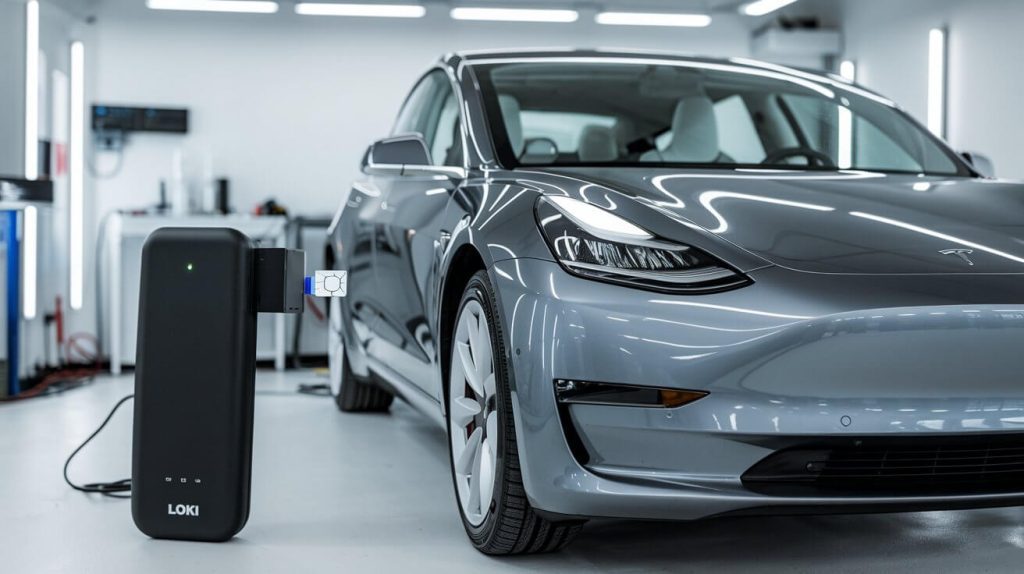
Step 5: Insert the New SIM Card
- Find the SIM Slot:
- Depending on your Tesla model, the SIM card slot may be near the diagnostic port or within the central console. Locate this slot carefully.
- Insert the SIM Card:
- Gently insert the new SIM card into the slot, ensuring it is properly aligned and fully inserted.
- Check for Proper Seating:
- Confirm that the SIM card is seated correctly to avoid connectivity issues.
Step 6: Configure the New SIM Card
- Begin Configuration:
- Access the LOKI scanner once more and start the SIM card configuration process. The scanner will detect the new SIM card and guide you through setup.
- Adjust Network Settings:
- If necessary, adjust the network settings to match the requirements of your new SIM card.
- Verify Configuration:
- Double-check that all settings are correct and that the SIM card is properly configured for optimal performance.
Step 7: Test the Connection
- Initial Connectivity Test:
- After configuring the SIM card, test the basic connectivity of your Tesla. Ensure it can connect to the new network.
- Test Tesla Features:
- Go further by checking key features such as GPS, remote access via the Tesla app, and other internet-based functionalities. This step confirms that the new SIM card is fully integrated with your Tesla’s systems.
Step 8: Finalize and Disconnect
- Save and Lock Settings:
- Use the LOKI scanner to save all new settings and lock them in. This prevents the system from reverting to previous configurations.
- Disconnect the Scanner:
- Safely remove the LOKI scanner from your Tesla once all processes are complete. Make sure to double-check that all settings are saved before unplugging.
- Final Inspection:
- Before concluding, perform a final inspection to ensure all systems are operating correctly with the new SIM card. Your Tesla should now be fully equipped with the new SIM card, offering enhanced network flexibility.
We’re here to assist with every step of this process, at Tesla Repair Dubai. We can handle it for you to ensure your Tesla remains fully functional and connected. Our expert team is dedicated to providing top-notch service for your Tesla, keeping it in the best possible condition.
Cost of Replacing Tesla eSIM with SIM Card Using LOKI
Switching from an eSIM to a SIM card in your Tesla involves a few specific costs. Here’s a simple breakdown:
- SIM Card Cost:
The SIM card itself generally costs between AED 25-50, depending on the provider and data plan.
- Service Fee for LOKI Scanner Configuration:
At Tesla Repair Dubai, the cost of using the LOKI scanner to replace and configure the SIM card ranges from AED 300 to AED 600. This includes the installation, network settings adjustment, and testing.
- Additional Costs:
If your Tesla requires any extra adjustments or special tools beyond the LOKI scanner, there might be a small additional charge.
- Promotions:
Don’t forget to check for any discounts or special offers that might reduce the overall cost.
These costs ensure that the process is done professionally, keeping your Tesla’s connectivity fully optimized. For more details or to schedule your SIM card replacement, contact Tesla Repair Dubai.
Pros and Cons of Using a SIM Card in Tesla
Switching from an eSIM to a traditional SIM card in your Tesla comes with both benefits and challenges. Here’s a simple explanation of what you can expect:
Pros:
- More Network Choices:
With a SIM card, you can select your mobile network provider. This is useful if you find a provider with better coverage or pricing. It also allows you to switch to a local SIM card when traveling for improved connectivity.
- Easy to Change Providers:
Changing your network provider is straightforward with a SIM card. Just remove the old SIM card and insert a new one, avoiding complex settings or technical support.
- Better Local Compatibility:
In some areas, a physical SIM card may offer more reliable connections and faster data speeds compared to an eSIM, especially where the eSIM may struggle with local networks.
Cons:
- Physical Management:
Unlike an eSIM, which is built into your Tesla’s hardware, a SIM card requires physical handling. This means you need to insert and remove it when necessary. If not handled properly, it can lead to connectivity problems or damage to the card or slot.
- Wear and Tear:
Frequent swapping of SIM cards can lead to wear and tear. Over time, both the SIM card and the slot can get damaged, potentially resulting in the need for replacements or repairs.
- Potential Complexity with Specific Tesla Models:
- Tesla Model S:
The SIM card slot in the Model S can be tricky to access. It often requires extra steps to reach and insert the SIM card. Careful handling and precise configuration are needed.
- Tesla Model X:
The Model X, with its advanced features, may need specific settings adjusted after the SIM card is inserted. Tools like the LOKI scanner might be necessary to ensure everything is set up correctly.
- Tesla Model Y:
The Model Y might have a more complicated SIM card setup. Aligning the network settings could be challenging and might also require a software update or further adjustments.
- Tesla Model 3:
In the Model 3, the SIM card slot is often hidden within the center console. This makes it harder to access and may require special tools for proper insertion.
At Tesla Repair Dubai, we’re equipped to help you with any of these complexities. Whether you’re dealing with a Model S, Model 3, Model X, or Model Y, our team can assist you in making the switch from eSIM to SIM card, ensuring your Tesla remains connected and operating smoothly. Our experts are here to provide top-quality service, keeping your Tesla in the best condition possible.
Troubleshooting Common Tesla SIM Card Issues
When switching from an eSIM to a SIM card in your Tesla, you might face some common problems. Here’s a guide to the most typical issues and how to fix them:
Problem 1: SIM Card Not Recognized
- What Happens:
After you insert the SIM card, your Tesla doesn’t recognize it. This means the car isn’t connecting to the network.
- How to Fix It:
Start by checking if the SIM card is inserted correctly. If it’s not properly in place, remove it and try again. Check if the SIM card is compatible with your Tesla, if the problem continues. You might also need to reset the car’s network settings using the LOKI scanner.
Problem 2: Poor Network Connection
- What Happens:
The SIM card is recognized, but the network connection is weak or unstable, affecting features like GPS and internet access.
- How to Fix It:
Check if the SIM card is compatible with the local network. Sometimes, switching to a different network provider can improve connection quality. Also, ensure that the SIM card is not damaged and that all network settings are correctly configured.
Problem 3: Features Not Working Properly
- What Happens:
After the switch, certain Tesla features like Autopilot, live traffic updates, or remote access via the app aren’t functioning as they should.
- How to Fix It:
This often requires adjusting the network settings. Use the LOKI scanner to reconfigure the SIM card settings and ensure all features are properly connected. You may also need to update the car’s software to align with the new SIM card.
Problem 4: The SIM Card Keeps Disconnecting
- What Happens:
The SIM card connects initially but then frequently disconnects, causing interruptions in network service.
- How to Fix It:
This could be due to a loose connection or an issue with the SIM card itself. Double-check that the SIM card is securely inserted. If the problem continues, consider replacing the SIM card with a new one or resetting the car’s network settings.
At Tesla Repair Dubai, we’re experienced in handling these common issues. If you encounter any problems during or after the switch, our team is here to help troubleshoot and resolve them, ensuring your Tesla stays connected and performs at its best.
In conclusion, switching from an eSIM to a SIM card in your Tesla improves connectivity and gives you more control over networks. At Tesla Repair Dubai, we make the process easy and safe. If you need help with SIM card replacement, contact us today. Don’t forget to check if your brakes need attention—read our blog on Tesla Brake Pad Replacement for useful tips. Visit us for expert service and great offers.
FAQs About Tesla SIM Card Replacement
1. Can I replace the eSIM in my Tesla with a traditional SIM card?
- Yes, you can replace the eSIM in your Tesla with a traditional SIM card. This switch gives you more control over your network provider and can improve connectivity in certain areas. At Tesla Repair Dubai, we can handle this replacement for you quickly and efficiently.
2. What are the benefits of using a SIM card instead of an eSIM in my Tesla?
- Using a SIM card allows you to choose your own network provider, offering more flexibility and potentially better coverage. It’s also easier to switch providers if needed. Tesla Repair Dubai can guide you through the process and help you decide if a SIM card is right for your Tesla.
3. How do I replace the eSIM with a SIM card in my Tesla?
- Replacing the eSIM involves accessing the SIM card slot, inserting the new SIM, and configuring the settings using tools like the LOKI scanner. Tesla Repair Dubai specializes in this process, ensuring everything is done correctly and your Tesla remains fully functional.
4. What is the cost of replacing the eSIM with a SIM card in my Tesla?
- The cost of replacing the eSIM with a SIM card in your Tesla typically ranges from AED 300 to AED 600, depending on the specific requirements of your vehicle. This includes the SIM card, installation, and configuration using the LOKI scanner. Contact Tesla Repair Dubai for a detailed quote and any current promotions.
5. Will replacing the eSIM with a SIM card affect my Tesla’s warranty?
- Replacing the eSIM with a SIM card should not affect your Tesla’s warranty if done properly. It’s important to have the replacement performed by professionals, like the experts at Tesla Repair Dubai, to avoid any potential issues.
6. Can I switch back to an eSIM after using a SIM card in my Tesla?
- Yes, you can switch back to an eSIM if needed. The process involves reconfiguring your Tesla’s network settings. Tesla Repair Dubai can assist with both the switch to a SIM card and the reversion to an eSIM, ensuring your vehicle’s connectivity is always optimized.
7. What should I do if my Tesla doesn’t recognize the new SIM card?
- If your Tesla doesn’t recognize the new SIM card, it could be due to improper installation or compatibility issues. Make sure the SIM card is seated correctly, and if problems persist, Tesla Repair Dubai can help troubleshoot and resolve the issue quickly.