Tesla ownership · Displays and charging
Tesla Battery Indicator Flashing and What It Means
A pulsing charge light and an electrical warning mean different things. Start with the location, colour and exact message to understand the next step.

A flashing light near your Tesla’s charging socket can be completely normal, while a battery-related message on the touchscreen may require service. There is no single universal Tesla “flashing battery light” diagnosis. First identify where the indication appears, its colour and the exact accompanying words.
At the charge port, pulsing green normally means charging is underway. On the vehicle display, a blue snowflake can indicate a cold battery. A message about electrical supply or reduced charging capability is a different matter. If the car tells you to stop or says it is shutting down, follow that instruction and arrange assistance rather than trying to clear the display.
Start with the location of the indication
Owners often use “battery indicator” for several unrelated things. Describing the location is more useful than deciding immediately that a battery has failed. It also prevents a charging-equipment light from being mistaken for an in-car warning.
| Where you see it | What to identify | What to read next |
|---|---|---|
| Beside the charging socket | Colour and whether it pulses or stays steady | Vehicle charging status and any charging alert |
| Battery graphic on the touchscreen | Percentage, range, temperature symbol and nearby message | The complete vehicle alert rather than the graphic alone |
| Tesla mobile app | Whether the app is connected and showing current information | The vehicle’s own display once safely parked |
| Wall Connector or Mobile Connector | The equipment model and its own light pattern | The manual for that charging product |
| An aftermarket display | The device brand and the indication it generates | The accessory’s documentation and the vehicle’s actual alerts |
Swipe to read the full table.
For example, “green light flashing beside the rear charging flap while plugged in” is a useful description. “Battery light flashing” leaves out the detail that would distinguish normal charging from an electrical warning. You do not need to know the technical cause to record the observation accurately.
Check the model and generation too. Model 3 and Model Y displays differ from the separate instrument displays used in Model S and Model X. Software, market and equipment can also change what appears. A screenshot from another Tesla is not a guaranteed match.
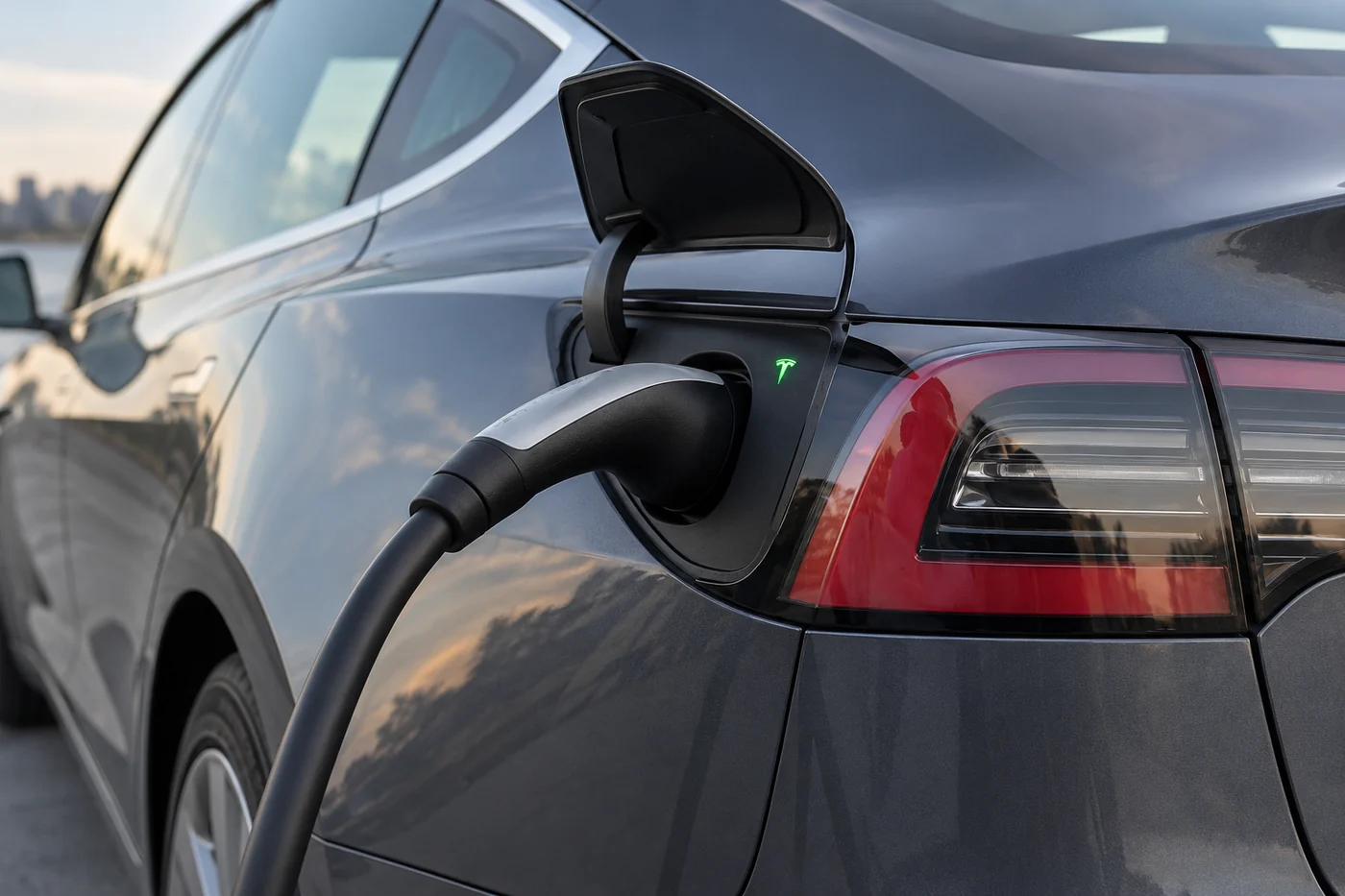
What the charge port colours mean
The following meanings are described in Tesla’s current Model 3 UAE charging instructions. Use your own vehicle’s manual if its design or indications differ. These are charge port states, not a colour code for every battery warning elsewhere in the car.
| Port light | Meaning | Useful response |
|---|---|---|
| White or light blue | Ready for connection or connector unlocked | Check whether you intend to connect or disconnect |
| Steady blue | Connected without active charging | Check the schedule and charging screen |
| Blinking blue | Communication or preparation before charging | Allow the initial connection process to finish |
| Blinking green | Charging in progress | Confirm the session and intended charge limit |
| Steady green | Charging complete | Compare the result with the selected limit |
| Steady amber | Connector not fully inserted | Follow the connection instructions if the equipment is undamaged |
| Blinking amber | Reduced AC charging current | Read the alert for the reason |
| Red | Charging fault and charging stopped | Read the touchscreen message before further troubleshooting |
Swipe to read the full table.
A charging session can move through several states. A brief blue phase followed by green is different from a connection that stays blue while you expected immediate charging. Look at the sequence as well as the final colour.
A light going dark after the vehicle locks is not, by itself, proof that charging stopped. Tesla notes that the port light can switch off after a short period. Confirm the session through the vehicle or app rather than judging it only from outside.
If the light indicates completion but the battery has not reached your expected target, first compare it with the limit you actually selected. Completion means completion of that session’s target, not necessarily a fully charged battery. A separate reduced-charge alert changes the interpretation.
When the battery graphic or app appears to change
A changing number is not a flashing fault code
Percentage and estimated distance describe stored energy in different ways. Switching between them, refreshing a screen or seeing a charging animation should not be treated as a universal electrical warning. The surrounding text and whether charging or driving is affected are more informative.
If you see unusual flickering or a display repeatedly disappearing, record which part of the screen changes. Does only the battery area change, or does the whole screen go blank? Does it happen in the app alone? These observations help separate a display concern from a specific vehicle alert without claiming to diagnose either remotely.
Use current vehicle information
A phone display depends on communication with the car. Before comparing two readings, check whether both refer to the same moment. A reading viewed earlier during charging should not be compared with a later reading as though they were simultaneous.
Once parked, note what the vehicle itself says. If the app cannot connect, describe that as a connection problem alongside any known vehicle symptoms. Do not assume the traction battery is empty simply because the app is not showing a fresh reading.
A blue area can be temperature-related
A blue snowflake or blue battery area can show that cold conditions are temporarily limiting available energy. It does not independently establish permanent capacity loss. The explanation and practical preparation steps are covered in the Tesla cold-weather battery guide.
Temperature behaviour and service alerts can occur together. If a message asks for service, do not dismiss it because a snowflake is also present. Read each alert for the function it concerns and the action it requests.
Low-voltage warnings and traction battery warnings are different
The large high-voltage battery stores energy for propulsion. A separate low-voltage electrical system supports functions needed to operate the vehicle. A problem in one area cannot be diagnosed from the charge percentage displayed for the other.
This explains a situation that can otherwise seem contradictory. A car may show substantial traction battery charge and still report a low-voltage supply problem. The percentage does not certify that every electrical component has sufficient power or is functioning correctly.
When the alert identifies the low-voltage battery
For example, Tesla’s alert reference describes VCFRONT_a182 as degraded low-voltage battery performance requiring replacement, with software updates unavailable until that is addressed. This is different from simply running low on driving charge.
Not every Tesla uses the same low-voltage battery chemistry or voltage. Older conventional 12V batteries and later configurations require different compatibility checks. Do not order a replacement or connect a jump pack solely because another owner’s vehicle used it.
When the alert concerns high-voltage charging capacity
An alert such as BMS_a074 identifies a condition limiting the maximum charge level and calls for service. That is different from a driver-selected charging limit. The current alert instructions for the vehicle determine the charging and driving restrictions that apply.
Neither an alert code nor a short description proves which component must be replaced. Diagnosis may require vehicle data and inspection. The immediate value of the code is that it identifies the instruction to follow and gives the service team a more precise starting point.
When electrical power may be lost
Messages about a possible unexpected shutdown or an active shutdown deserve prompt action. They should not be grouped with a routine request to schedule a future battery replacement. If you are moving, concentrate on reaching a safe stopping position and following the car’s instruction.
Once stopped, seek assistance and explain whether the vehicle remains powered, can select a drive mode or can charge. Do not repeatedly cycle controls to force the car into driving. A temporary return of the display does not establish that its power supply is reliable.

A safe sequence when charging does not behave as expected
Begin with information already available through normal owner controls. There is no need to remove panels, probe connectors or disconnect batteries to decide what the indication is asking you to do.
- Read the message: Record the full alert, including its code if shown, after parking safely.
- Check the plan: Compare the selected charge limit and schedule with what you expected the car to do.
- Confirm the session: Look for current charging status rather than assuming that a connected cable means energy is flowing.
- Identify the equipment: Note whether the problem occurs at a home charger, portable connector or public charging station.
- Follow the instruction: Use the matching vehicle or charger guidance and stop where it requires professional assistance.
If a connector is not seated correctly and there is no visible damage, heat concern or other unsafe condition, follow the normal connection procedure in the manual. Do not force a stuck plug or improvise a latch repair. A frozen port and a damaged latch are different problems.
If there is smoke, a burning smell, visible melting or damaged charging hardware, stop using the equipment and move clear as appropriate. Contact the charging operator or emergency assistance for the situation. Trying another adaptor or repeatedly reconnecting is not a suitable diagnostic experiment.
A red port light can result from several charging conditions. The written alert narrows the problem much more effectively than a list of generic causes. Follow that information before deciding that either the charger or the vehicle battery must be replaced.
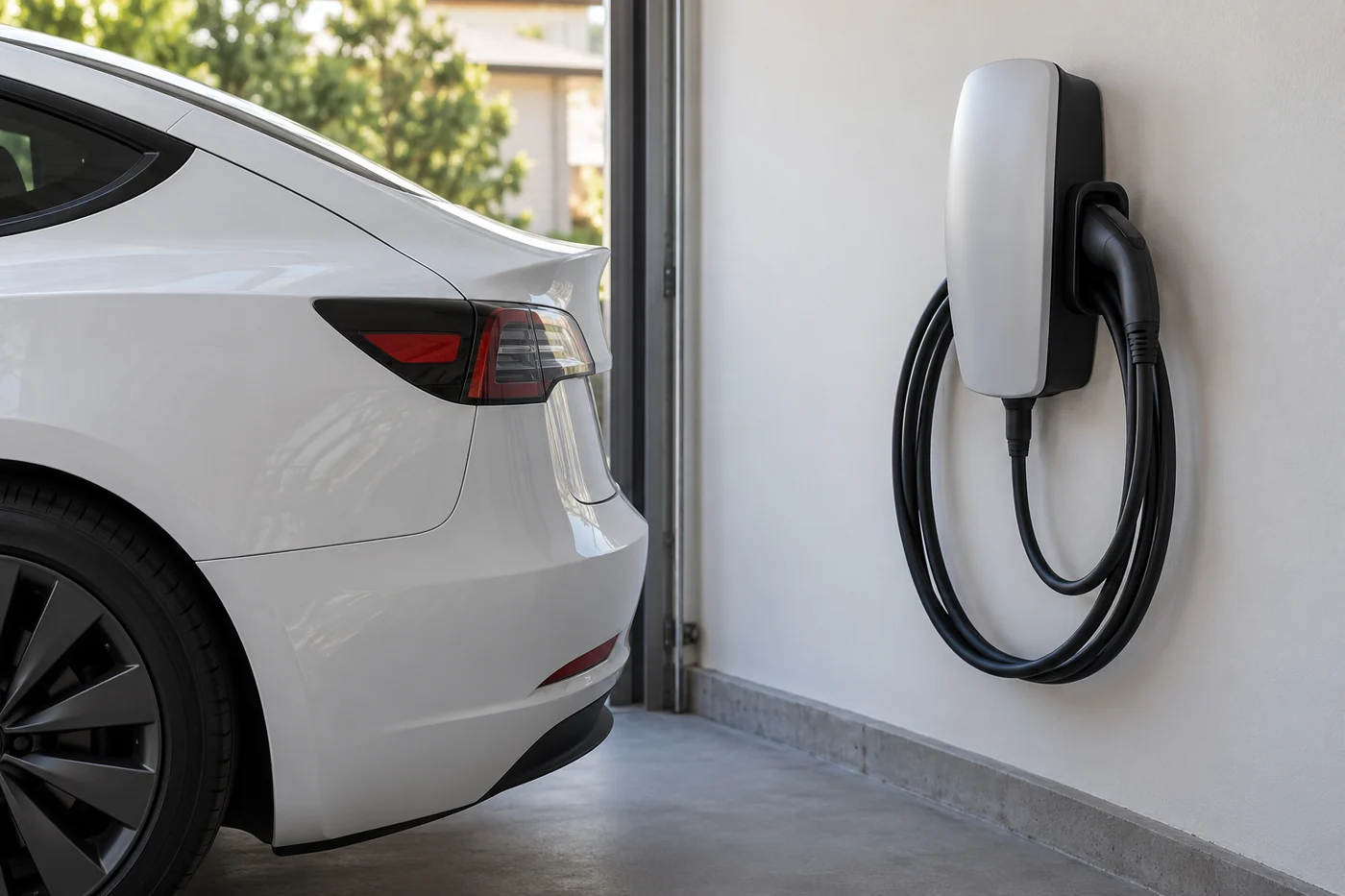
Separate a vehicle issue from charging equipment
The light pattern on a Wall Connector or Mobile Connector belongs to that product. It can use blink counts or sequences that differ from the vehicle’s port colours. Record the product generation before looking up a code.
For a public charger, keep the station number, connector type, time and the error shown by the station. A charging operator may need those details to check the session. “The car would not charge” does not tell them whether the connector was recognised, authorisation failed or power stopped after charging began.
Where the vehicle instructions permit a trial with other undamaged compatible equipment, the result can help narrow the investigation. A problem repeated across several suitable chargers is a different pattern from one location failing while others work. Neither pattern alone identifies a failed part.
Keep the comparison meaningful
Changing several things at once makes the result harder to interpret. For example, trying a different charger after the battery has warmed changes both equipment and temperature. Note both changes rather than presenting the result as proof that the first charger was defective.
Electrical installation work belongs with an appropriately qualified professional. Owner checks should not extend to opening charging equipment, tightening supply wiring or bypassing protective devices. The useful owner role is to identify the equipment and preserve the fault information.
What information helps resolve an intermittent indication?
An intermittent problem can disappear before an appointment. A short, accurate record is more useful than a long list of possible diagnoses. Take a photograph or video only when parked safely, and keep the whole message visible.
- Vehicle details: Model, approximate build year, market and current software version if readily available.
- Exact indication: Location, colour, pattern, full wording and alert code.
- Operating state: Parked, charging, waking up or already driving when it first appeared.
- Actual effect: Whether charging stopped, power changed, doors would not operate or only the display changed.
- Recent context: Charger used, temperature, relevant repairs and whether the event repeated.
Separate what happened from what you suspect. “The port went red after charging started” is an observation. “The high-voltage battery failed” is a diagnosis that the observation does not establish. Keeping those separate helps prevent an unnecessary parts decision.
A restart that removes a message also does not demonstrate a repair. Record that the indication cleared and whether it returned. Do not erase useful information or repeatedly reset the car to make an unresolved warning disappear.
Questions about flashing Tesla battery indications
Is a flashing green Tesla charge light normal?
At the vehicle charge port, blinking green normally indicates active charging. Confirm the current session on the screen or app if you are unsure. A green light on separate charging equipment should be interpreted using that product’s instructions.
Does a flashing indication mean the main battery needs replacing?
No. Location, colour, message and vehicle behaviour are needed first. Normal charging, cold-battery indications, display issues and electrical faults can be described by an owner as flashing. None should be turned into a pack replacement diagnosis from that word alone.
Why is the connector attached but the port light blue?
The car may be connected without actively charging, including when a charging schedule is waiting to begin. Read the charging screen and check the schedule. Persistent unexpected behaviour or an accompanying fault message needs the matching troubleshooting guidance.
Can the low-voltage system fail when the screen shows plenty of charge?
Yes. The displayed driving charge refers to the traction battery and does not prove that the low-voltage supply is healthy. Follow an alert identifying the low-voltage system even if the main battery percentage appears adequate.
Should I disconnect the battery to reset the warning?
No. Disconnecting a battery is not an appropriate first response to an unidentified display. It can introduce additional problems and does not establish the cause. Identify the indication through the normal display and obtain the vehicle-specific guidance.
Need help with a low-voltage battery warning?
If the alert identifies the low-voltage battery, Tesla Repair Dubai can discuss compatible low-voltage battery replacement. Share the exact message and your vehicle details first. If the car cannot be driven safely, arrange assistance rather than driving in to have the light checked.